Mods'n Utilities - Event Library - RPG Maker MZ
A downloadable asset pack
Sometimes RPG Maker MZ’s Common Event menu is exactly what you need. I personally love using Common Events because they let me keep reusable event logic in one place instead of having to rebuild the same thing over and over.
The one thing I’ve always hated about the Common Event menu is that I can’t put a complete map event in it.
For simple event commands, that’s fine. But for things like resource nodes, locked doors, treasure chests, traps, shops, shrines, and other full events, I may have multiple event pages, graphics, triggers, page conditions, movement settings, Self Switches, and other things that are part of the event.
If I use that same event across a bunch of different maps and later decide I need to change something, I have to go back and scour through all of those maps looking for every copy of that event just to make the same change over and over again.
That’s mainly why I made Event Library.
I wanted something that worked like RPG Maker MZ’s Common Event menu, but for complete map events.
With Event Library, you can create one dedicated Event Map that acts as a library for your reusable events. Build the complete event once on that map, then place anchors throughout your game that mimic those events while keeping their own positions and Event IDs. The templates can include their event pages, graphics, triggers, movement, page conditions, commands, note tags, and Self Switch behavior.
So instead of maintaining the same resource node, locked door, chest, or other event across a bunch of different maps, you can maintain one version on your Event Map and reuse it throughout your game.
If something needs changed later, you know exactly where to find it.
Edit it once on your Event Map, and the events mimicking that template throughout your game use the updated version.
Basically:
RPG Maker Common Events = reusable event command lists
Event Library = reusable complete map events
Features
- Create a dedicated Event Map for reusable events
- Build complete events once and reuse them across your game
- Edit the source event instead of searching through every map for copies
- Mimics complete event pages
- Mimics event graphics
- Mimics triggers
- Mimics movement settings
- Mimics page conditions
- Mimics event commands
- Mimics note tags
- Self Switch support
- Anchors keep their own map position and Event ID
- Spawn specific templates whenever needed
- Random Event Pools
- Weighted random template selection
- Optional Map Set filtering
- Standalone support
- Optional Random Map Selector integration
- Save/load support for assigned templates
- Commands for clearing individual events or resetting event state
- Detailed documentation included
Event Library can be used for things like resource nodes, treasure chests, locked doors, traps, utility events, boats, shrines, enemies, shops, and other reusable map objects.
How It Works
Create a normal RPG Maker MZ map and dedicate it to your Event Library. The player never needs to actually visit this map.
Then build your reusable events there just like you normally would.
For example:
Event 1 — Iron Ore Node
Event 2 — Coal Node
Event 3 — Locked Door
Event 4 — Treasure Chest
Event 5 — Healing Shrine
Event 6 — Boat
On your actual game maps, place blank anchor events wherever you want one of those events to appear.
The anchor keeps its own position and Event ID but mimics the complete event stored on your Event Map.
That means you could have the same Iron Ore Node appearing across 20 different maps while only having to maintain one actual Iron Ore Node template.
If you later decide that node should give more ore, use a different graphic, require another tool, have an additional event page, or do something completely different, you can make the change to the original event in your Event Library instead of hunting down every copy throughout your project.
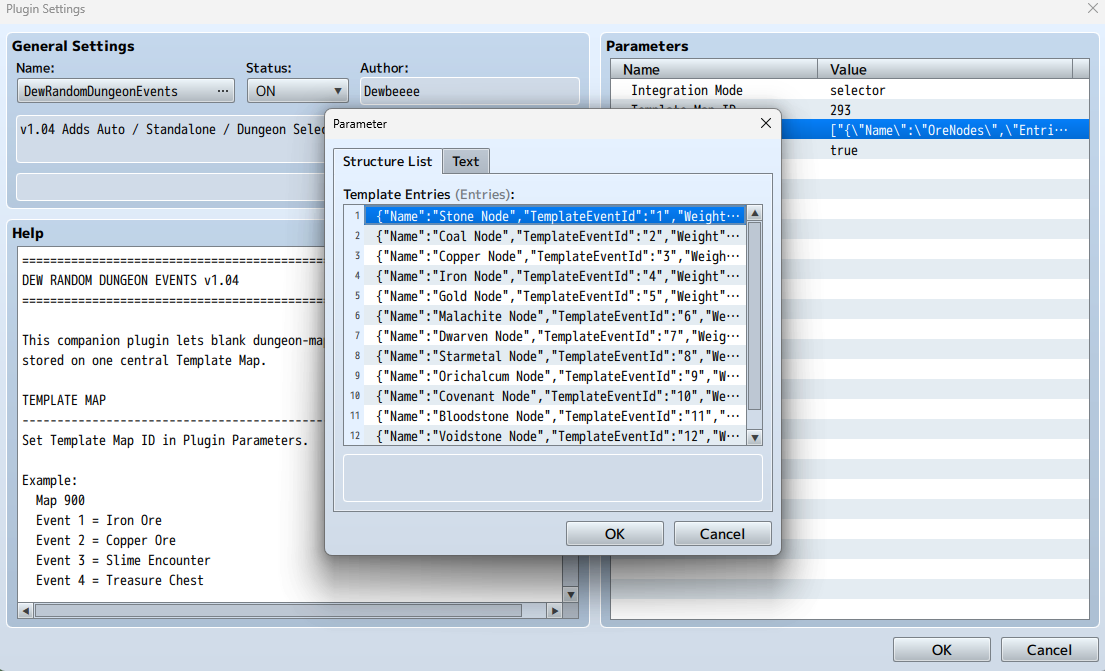
Random Event Pools
Event Library also supports Random Event Pools.
Instead of always telling an anchor exactly which event it should mimic, you can create a pool of possible events and let the plugin randomly choose one.
For example:
Ore Nodes
- Stone Node
- Iron Ore Node
- Coal Node
- Crystal Node
Each entry can have its own weight, allowing certain events to appear more or less often.
This gives you the option of using Event Library as a simple global event library, a randomized event system, or a combination of both.
Random Map Selector Integration
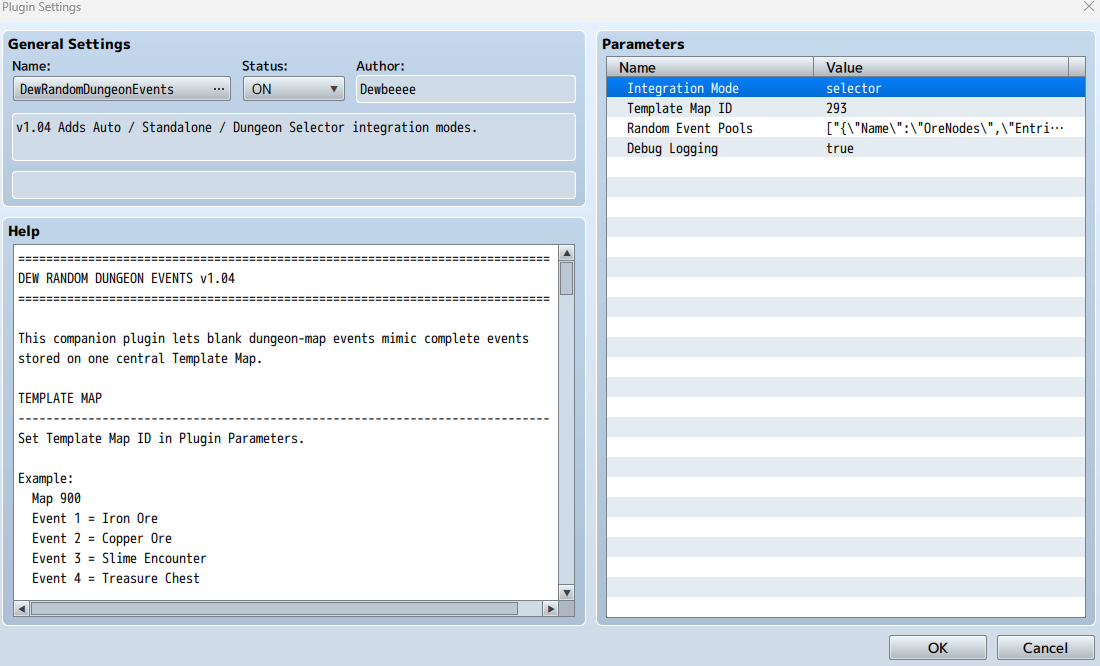
Event Library works as a standalone plugin, but it can also integrate with Random Map Selector.
When the two are used together, generated dungeon room instances can maintain their own event and Self Switch states. This is especially useful for things like resource nodes and treasure chests. One generated room can have a depleted node or opened chest while another instance of the same RPG Maker Map ID can still have a fresh one.
Random Event Pool entries can also use Map Set filtering, allowing different event templates to appear depending on the active dungeon theme.
Event Groups Integration
Event Library can also pair really well with Aerosys’s Event Groups plugin.
One of the nice things about Event Library is that the template's note tags are mimicked along with the rest of the event. That means if you're using Event Groups for resource nodes, you only need to set up the Event Group note tag on the original node inside your Event Library. Every anchor mimicking that node can use the same template note information instead of you having to manually add the tag to every copy.
For example, your main resource node could use:
<Event Group: harvestable>
Aerosys’s plugin can then control the Self Switches of events assigned to that group, even across different maps. This makes it possible to reset groups of resources such as ore nodes, trees, plants, collectibles, and other harvestable events together.
When paired together, you can essentially build a full reusable resource respawn system:
Event Library handles the reusable full-page resource node.
Event Groups handles resetting the Self Switches for those nodes when you want the resources to respawn.
So you can build one resource node, add its pages, graphics, harvesting logic, Self Switches, and Event Group note tag, then reuse that node across your game instead of rebuilding and maintaining every individual copy.
You can check out Aerosys’s Event Groups here:
https://aerosys.itch.io/event-groups
Installation
- Place the plugin inside your project’s js/plugins folder.
- Add it through RPG Maker MZ’s Plugin Manager.
- Create a map to use as your dedicated Event Map.
- Set that map as the plugin’s Template Map.
- Build your reusable events normally on that map.
- Configure Random Event Pools if you want randomized events.
- Place blank anchors throughout your game wherever the reusable events should appear.
- Use the included plugin commands to initialize or spawn your events.
I highly recommend checking out the included user manual for the full setup, especially if you want to use Random Event Pools or integrate Event Library with Random Map Selector.
Customize It
Configure:
- Your dedicated Event Map
- Reusable event templates
- Random Event Pools
- Template weights
- Map Set restrictions
- Exact event spawning
- Random event spawning
- Standalone mode
- Random Map Selector integration
- Event initialization
- Event state clearing
- Debug logging
Whether you have one resource node you want to reuse across your entire game or a collection of complicated multi-page events, the main idea behind Event Library is simple:
Build the event once. Place it wherever you need it. If something needs changed, edit it in one place instead of searching through your entire game.
Credits & Support
You are free to use this plugin in both commercial and non-commercial RPG Maker MZ projects.
The only thing I ask is that you credit Dewbeeee somewhere in your game's credits or documentation.
You are also free to modify this plugin for your own personal use to better fit your project. However, you may not redistribute, resell, or share modified versions of this plugin. If you'd like others to use it, please direct them to the original download page.
If you run into bugs or have suggestions, feel free to reach out. I'll continue improving my plugins whenever I can.
And as always, thanks for checking out my plugins. I hope they find a place in your game.
Download
Click download now to get access to the following files:
Leave a comment
Log in with itch.io to leave a comment.